Contract Closeout Project Settings
Before you can initiate contract closeout, the setup of contract closeout needs to be completed in Project settings. This setup consists of selecting what closeout sections you want to include in the closeout process, and what questions you want in each closeout section. These will be the questions the person doing the closeout will need to answer to consider each section of closeout complete. This setup will typically be done by a project administrator.
The following steps walk you, as a project administrator, through setting up your contract closeout settings.
Step by Step — Set Up Contract Closeout Settings
-
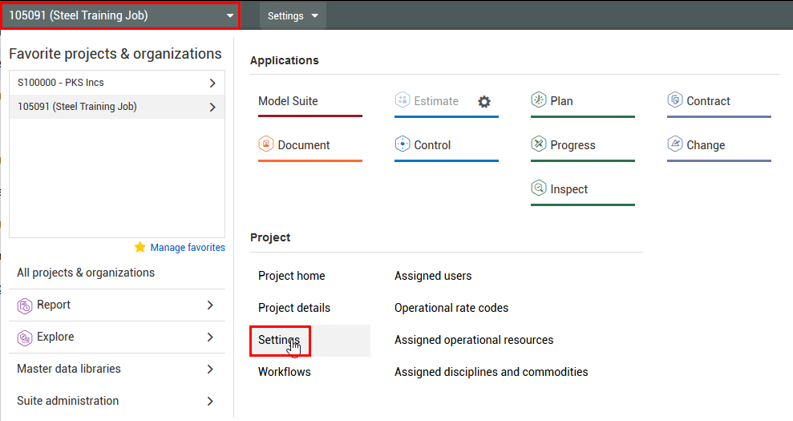
From the Project home page of the Steel Structure Training Job, click on the 1st level drop-down menu and select Settings.
-
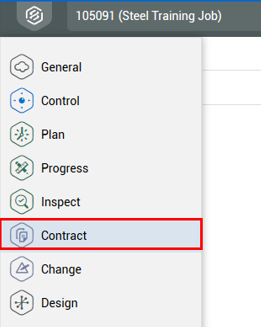
Select the Contract tab on the left.
-
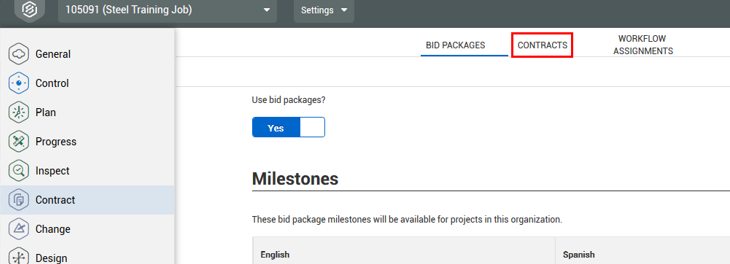
Click on the Contracts sub-tab.
-
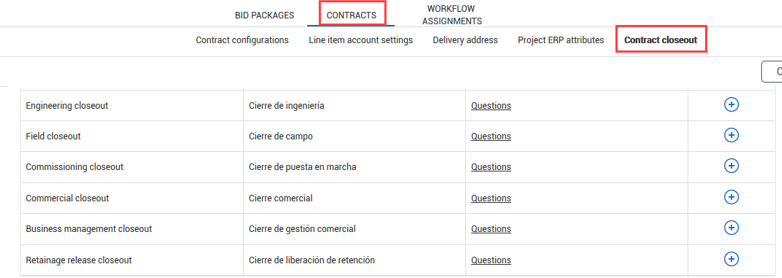
Select the Contract closeout tab under Contracts.
- Under the Contract closeout section, you have the following default sections included on your project:
- You can remove any of these sections if they are not needed in your closeout process by clicking on the minus sign
- Each section has a Questions link you can click on to decide what questions to include in that section
-
Click on the Questions link for Engineering closeout.
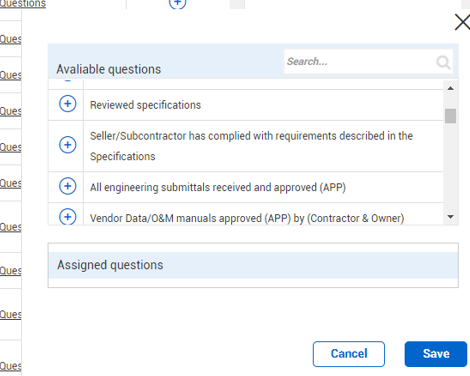
- A slide out panel appears with two sections:
- Available questions – Contains a list of questions you can select from to include in your selected closeout section
- Assigned questions – Displays the closeout questions you have selected for the section (This is blank because you haven’t selected any yet.)
-
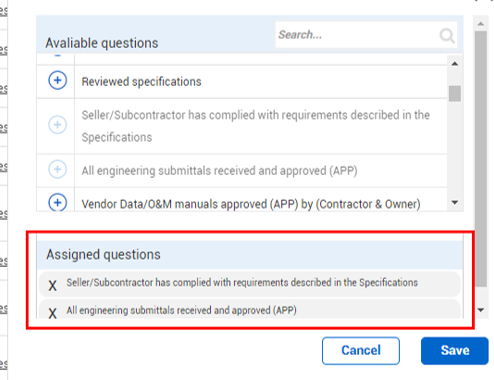
Click the Add button next to each question you want to add.
- You can add as many as necessary as per the project’s requirements
- The questions show up under the Assigned questions section below
The questions you select from in Project settings are created in the Organizational settings by your company’s designated administrative group. Your company should have a procedure for requesting the addition of new questions for you to use on your projects.
- Click Save.
-
Follow these same steps to select questions for your other closeout sections.
- Once you have your questions set, they will populate for all new contracts